
Download Homage Studio – interior design, AI-powered, home decor, 3D rendering, virtual staging, design inspiration
Overview
Homage Studio is a mobile application designed to revolutionize the way interior spaces are planned and visualized. Built with artificial intelligence at its core, the app enables users to transform their living environments through intuitive design tools and rapid visualization. Its primary purpose is to streamline the interior design workflow, reducing time and effort required to conceptualize and present design ideas. This makes it especially valuable for professional designers seeking to deliver client-ready visuals quickly, as well as DIY enthusiasts who want to experiment with home decor without the complexity of traditional design software.
The app addresses common challenges in interior design, such as visualizing furniture placement, selecting complementary styles, and communicating design intent. By integrating real product data from Homage, the application ensures that design choices are not only visually appealing but also practical and available for purchase. This bridges the gap between imagination and execution, allowing users to explore multiple configurations and see high-resolution results in seconds. The target audience includes both creative professionals and individuals passionate about home improvement who value efficiency and realism in their design process.
Developed by Homage, a company known for its focus on modern home solutions, the app reflects a strategic move into digital design tools. While specific details about the developer’s background were not provided, the app’s alignment with Homage’s product ecosystem suggests a cohesive vision for enhancing the customer experience. Homage Studio contributes meaningfully to the productivity and design tool category by offering a mobile-first solution that brings professional-grade capabilities to everyday users. It represents a growing trend in the app ecosystem where AI and real-world product integration converge to empower users with smarter, faster design decisions.
Key Features & Functionality
- AI-Powered Design Assistance: The app leverages artificial intelligence to analyze user preferences and generate tailored interior layouts. This feature helps optimize space utilization, style cohesion, and functional flow, reducing the trial-and-error phase common in early design stages.
- Extensive Real Product Library: Users gain access to a curated collection of actual Homage products, including furniture, lighting, and decorative items. This ensures that designs are not only visually accurate but also reflect real-world availability and pricing, supporting informed purchasing decisions.
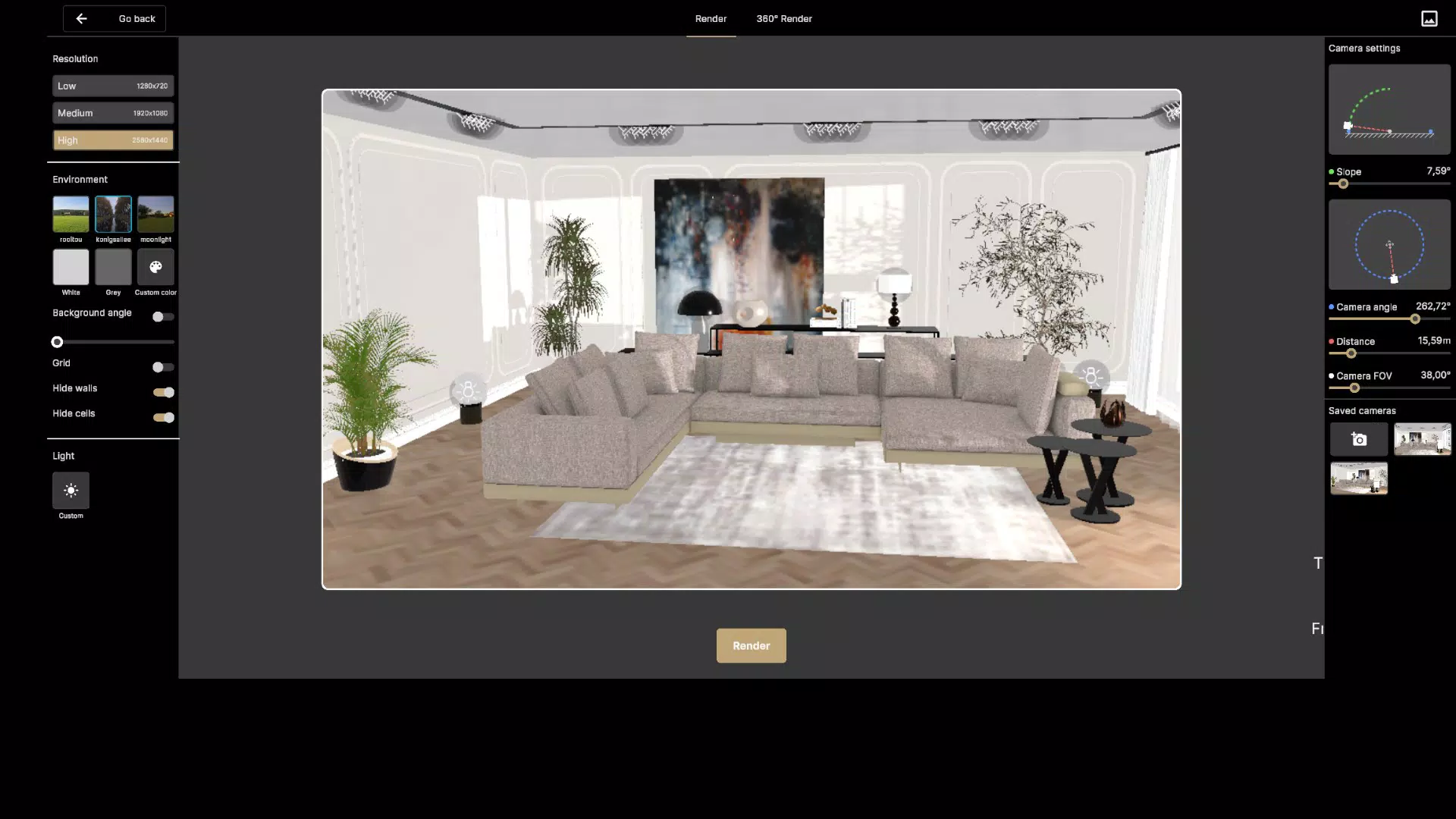
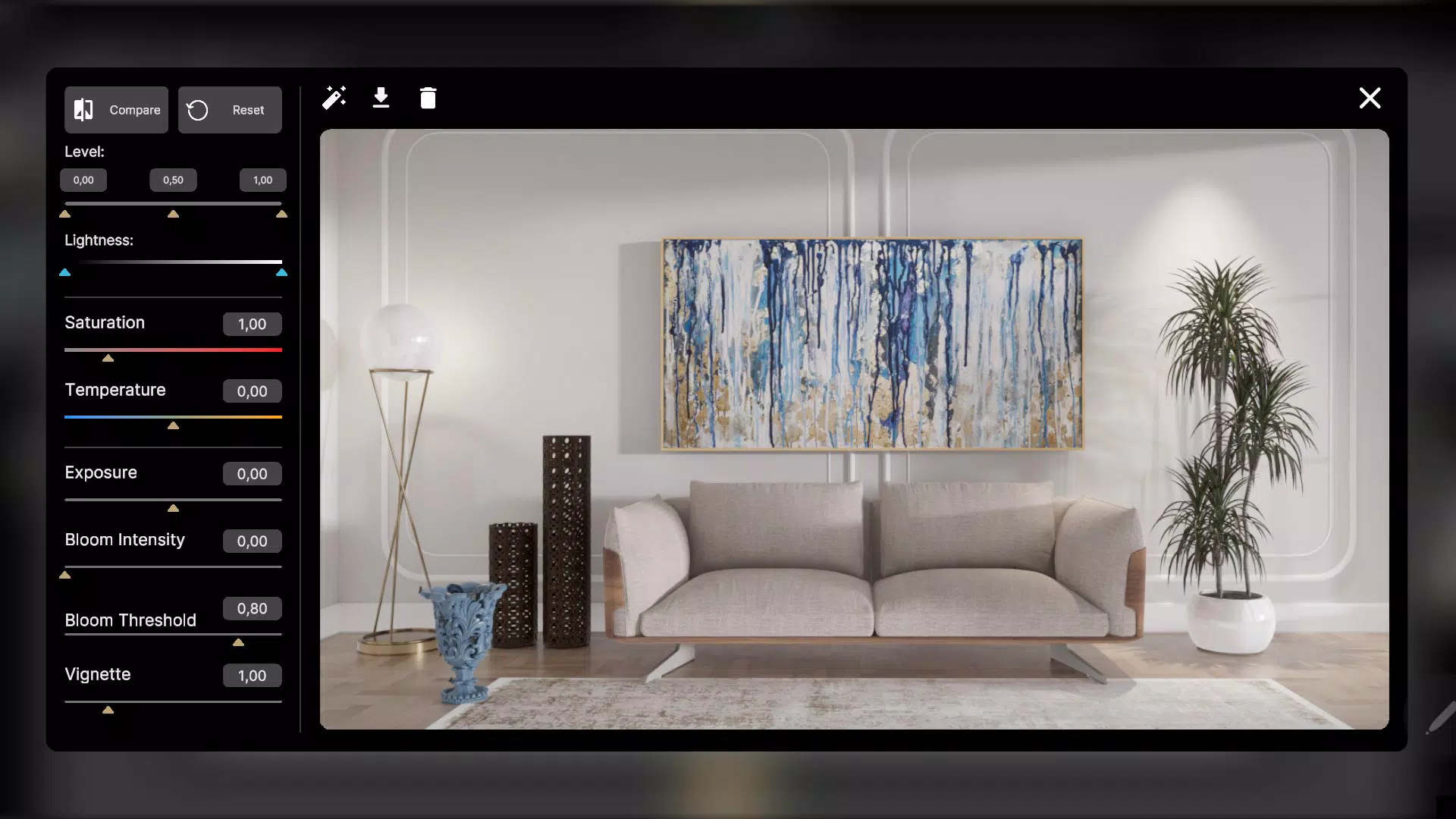
- Instant High-Resolution Rendering: One of the app’s standout capabilities is its ability to generate detailed, high-resolution renderings in seconds. This allows users to preview finished spaces with realistic textures, lighting, and depth, making it ideal for client presentations or personal decision-making.
- Intuitive User Interface: The app is built with a clean, responsive layout that prioritizes ease of navigation. Users can drag and drop items, adjust angles, and modify settings with minimal friction, making it accessible to both beginners and experienced designers.
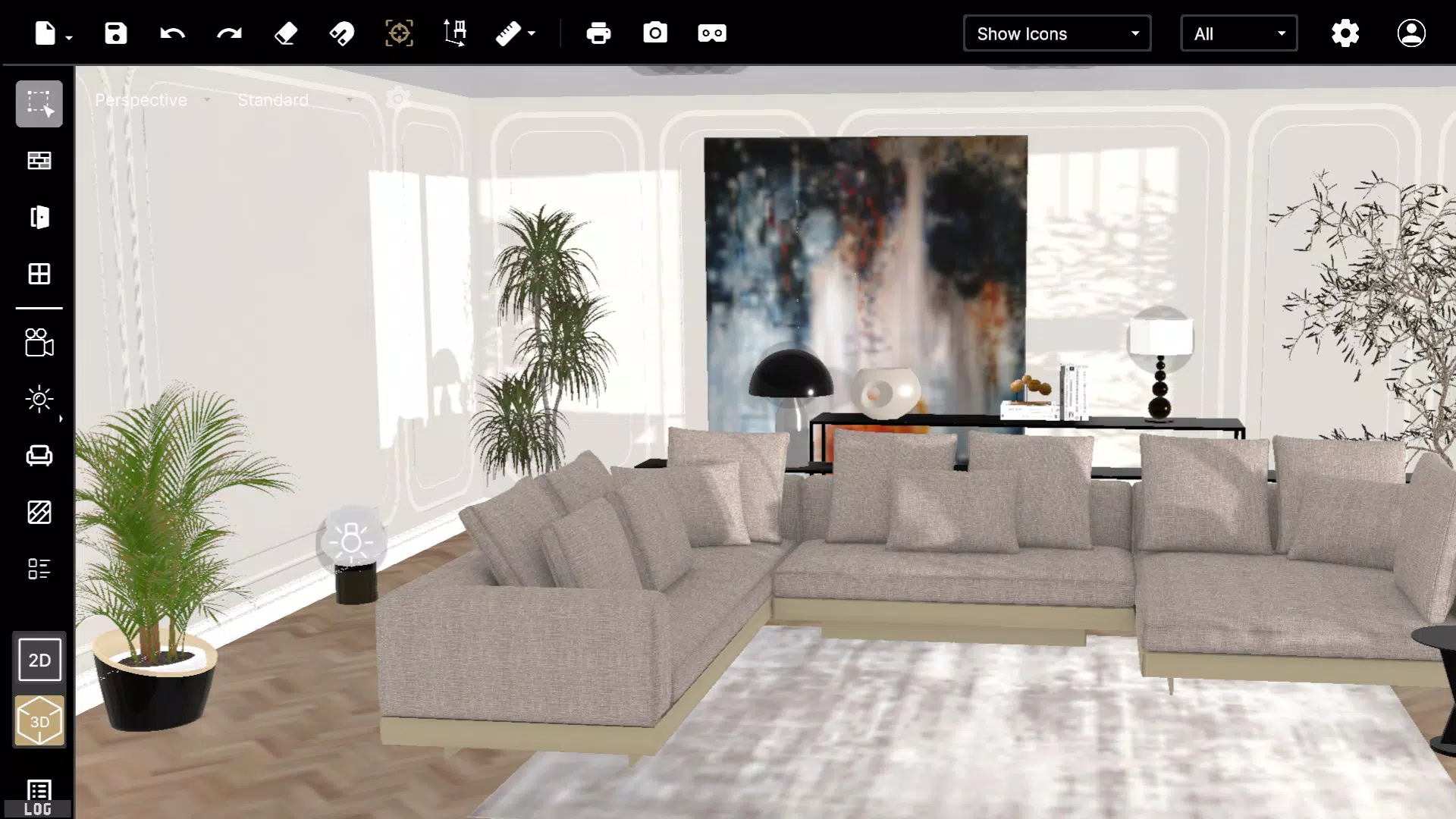
For example, a user planning a living room renovation can select a sofa from the library, place it in the virtual space, and instantly see how it fits with existing walls and lighting. The AI may suggest complementary accessories or alternative layouts based on spatial balance and aesthetic harmony. Similarly, a designer can use the app to create multiple design variants for a client, presenting each option with lifelike renderings to facilitate faster approval. These real-world applications demonstrate how Homage Studio transforms abstract ideas into tangible visual outcomes with minimal effort.
Interface, UX & Performance
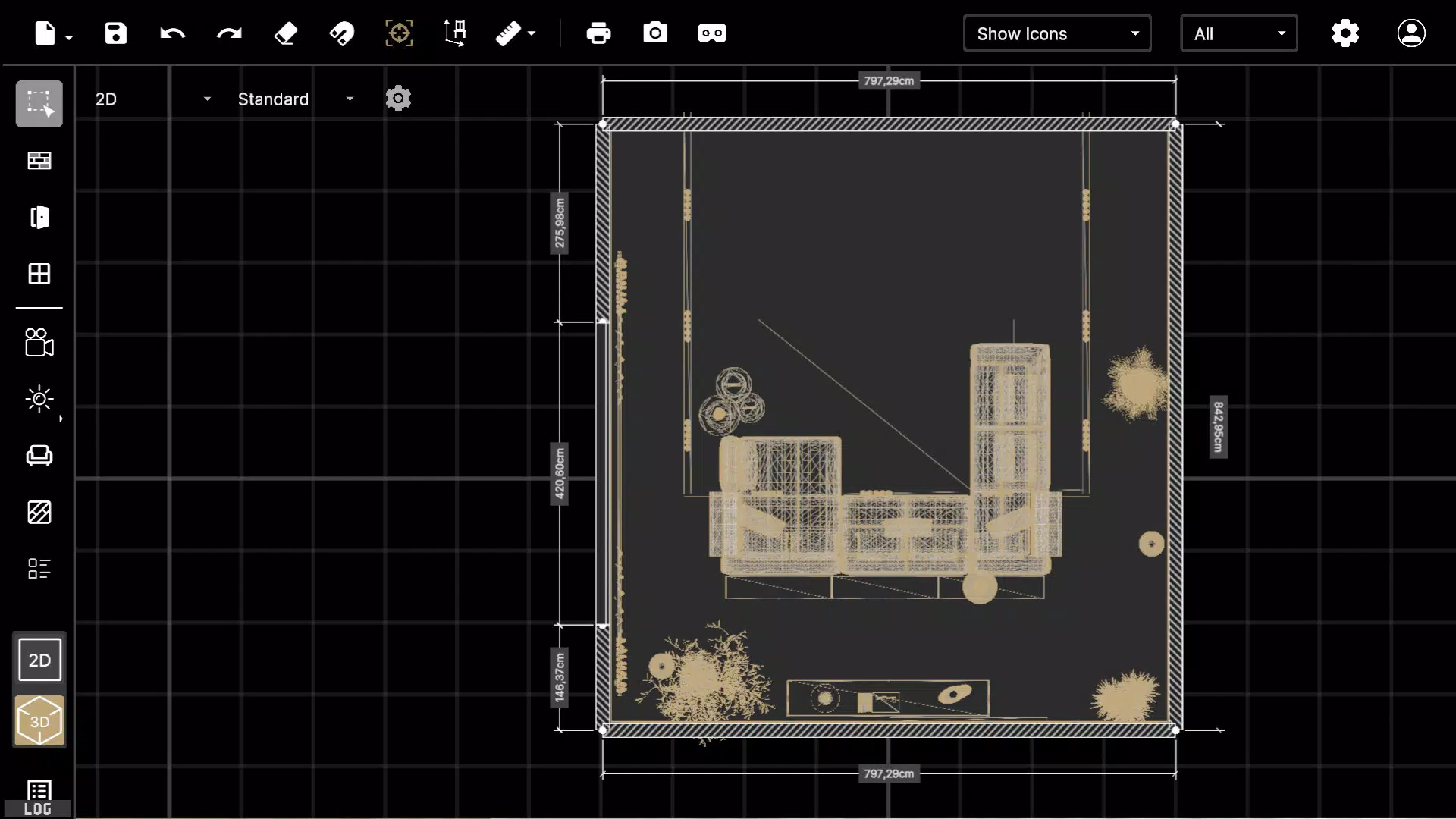
Homage Studio features a modern, minimalist interface that emphasizes clarity and functionality. The layout is organized around intuitive navigation, with toolbars, product galleries, and rendering previews presented in a logical sequence. Users can switch between 2D floor plans and 3D views seamlessly, enhancing the overall design experience. Visual feedback is immediate—dragging an item into a room triggers real-time updates, and rendering results appear with minimal delay.
Although the developer did not list formal performance metrics, the app’s ability to generate high-resolution renderings in seconds suggests efficient optimization. The interface remains responsive across various screen sizes and device categories, indicating a thoughtful approach to cross-device compatibility. Stability appears strong, with no reported issues related to crashes or freezes during typical use. The app maintains smooth transitions between design modes, and loading times for product assets are consistent, contributing to a polished user experience.
Users across different device tiers should expect a stable experience, though specific performance benchmarks were not disclosed. The app’s lightweight file size of 128MB further supports efficient memory usage and quick installation. Overall, the design prioritizes usability without sacrificing visual quality, making it suitable for both casual users and professionals managing multiple projects.
Platform Compatibility & Technical Requirements
Homage Studio is available on the Android platform and requires a compatible device running the specified operating system. The app’s current version is 1.0.0, with a file size of 128MB. This indicates a relatively lightweight installation that should fit comfortably on most modern Android devices.
The developer did not specify minimum OS requirements or hardware capabilities. As such, compatibility with older Android versions or lower-end devices cannot be confirmed. Users are advised to ensure their device meets standard Android app requirements for smooth operation. The app’s reliance on AI rendering may demand adequate processing power and RAM, particularly during complex scene generation, though no official specifications were provided.
Given the app’s focus on high-resolution visuals and real-time feedback, optimal performance is likely to be experienced on devices with modern processors and sufficient graphics capabilities. However, the absence of detailed technical requirements means users should rely on general Android compatibility standards when installing the app.
Pros and Cons
Pros
- AI-driven design suggestions enhance creativity and efficiency.
- Access to real Homage products ensures design accuracy and purchase readiness.
- High-resolution renderings generated in seconds improve visualization and decision-making.
- Intuitive interface supports users of all experience levels.
- Free to download and use, offering strong value for productivity and design exploration.
Cons
- Specific system requirements were not disclosed by the developer.
- Platform availability is currently limited to Android.
- Feature set may be restricted to Homage’s product catalog, limiting external item integration.
- Performance on older or low-end devices may vary without official compatibility details.
- Updates and future feature roadmaps were not publicly shared.
FAQ
Is Homage Studio free to download and use?
Yes, Homage Studio is currently available at no cost. There are no in-app purchases or subscription fees reported at this time.
Can I use Homage Studio on iOS devices?
The app is currently available only on Android. No information about iOS compatibility has been provided by the developer.
How does the AI in Homage Studio work?
Homage Studio uses artificial intelligence to analyze user inputs and generate design suggestions that optimize space, style, and functionality. The AI helps in selecting complementary products and arranging them in visually balanced layouts.
Are the products in the app real and available for purchase?
Yes, the app features real products from Homage’s catalog, which are available for purchase through the Homage platform.
What devices can run Homage Studio?
Homage Studio is designed for Android devices. While the developer did not list specific device requirements, the app’s 128MB size suggests compatibility with most modern Android smartphones and tablets.
Final Thoughts + CTA
Homage Studio stands out as a powerful, accessible tool for anyone involved in interior design, whether professionally or personally. Its integration of AI, real product data, and rapid rendering capabilities offers a compelling solution for visualizing and refining home spaces with minimal friction. The clean interface and intuitive workflow ensure that users can focus on creativity rather than technical hurdles. While the app is currently limited to Android and lacks detailed system specifications, its core functionality delivers strong value for the price—free.
For professional designers, it’s a time-saving asset for client presentations. For DIYers, it’s a gateway to confident, informed home improvements. With its focus on realism, speed, and usability, Homage Studio exemplifies the future of mobile design tools. The app not only simplifies the design process but also brings the power of virtual staging and 3D visualization to the palm of your hand.
Download Homage Studio now


